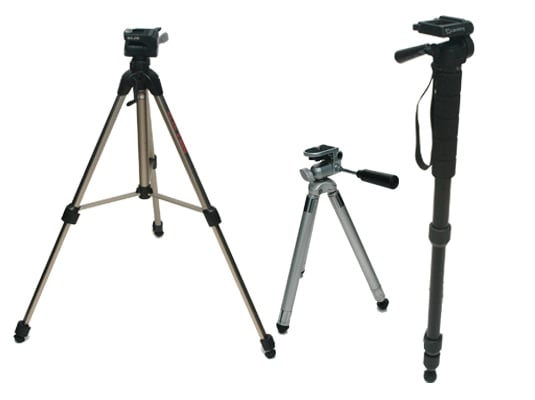
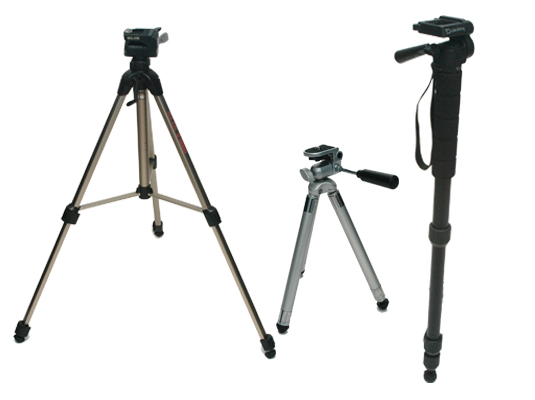
setting up a tripod
make sure that the tripod is level by using the bubble level on the tripod.Adjust the legs so that they stand stably on the ground. Release the tensioners on the legs, and raise them to the height that you need them. You can technically attach a camera to the tripod before you set up the tripod – but your camera will be safer if you set up the base first. If you extend the legs, check that they are securely locked in place before you mount the camera.
storage-SD card
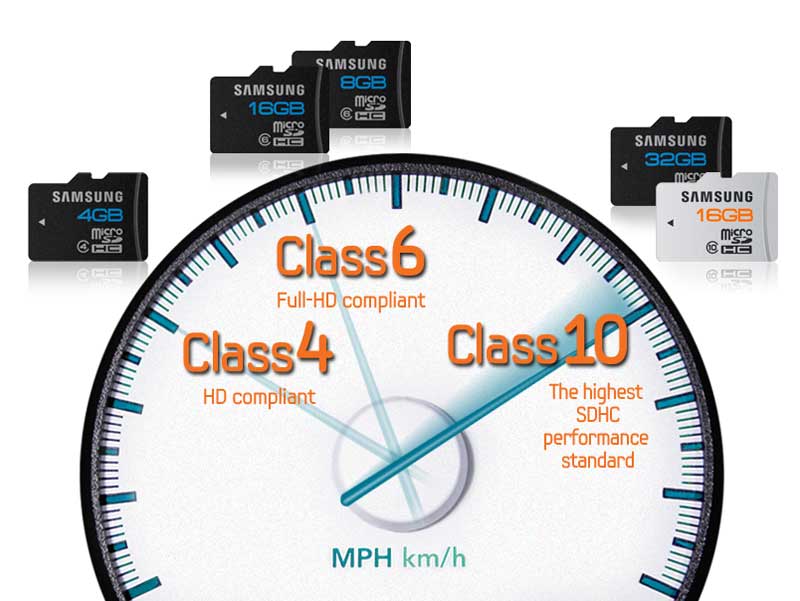
the difference between a class for and class 10 sd card is that the class 4 sd card has a guarenteed write speed of 4mb/s or higher whereas a class 10 has a guarented write speed of 10 mb/s
inserting a camera battery
Open the battery-chamber cover. Slide the battery-chamber latch as shown and open the battery-chamber cover. Using the battery to keep the battery latch pressed to one side, insert the battery contacts first in the direction shown by the arrow. Confirm that the battery is securely latched then.

attaching a camera to tripod
Remove the camera plate from your tripod. The camera plate is the piece that fixes the camera to the tripod. Look for a quick-release clip or lever that will unlock the camera plate from the main body of the tripod. There are many ways to connect a camera to the main body of your tripod. However, almost all tripods use a detachable camera plate to make it easier to mount your device.


inserting a sd card
Make sure that your device supports the type of SD card you are using. For example, if you are using an SDXC card, the camera will need to support that format. slide it in until it clicks into place at the back of the slot then close the hatch.

turning on a camera
on the camera there is a on off switch all you have to do is switch it up to turn it on and down to turn it off

setting a camera to video mode
on the camera there is a dial that has an option to change it to movie mode

check auto focus
you will capture the focus chart in Live View mode. This will be your “reference” shot. Once you turn Live View mode on, zoom in to the center of the focus chart and either half-press the shutter or press the AF-ON button on the back of the camera to force it to focus the lens

press button to record
there is a small button next to the display screen that has a red dot on it lets you have to press to record it also says start and stop on it

what is a dolly and how it could be used in a production
The camera dolly may be used as a shooting platform on any surface but is often raised onto a track, to create smooth movement horizontally known as a tracking shot. most professional film studio dollies have an arm that raises or lowers the camera on the vertically.

setup lighting in studio
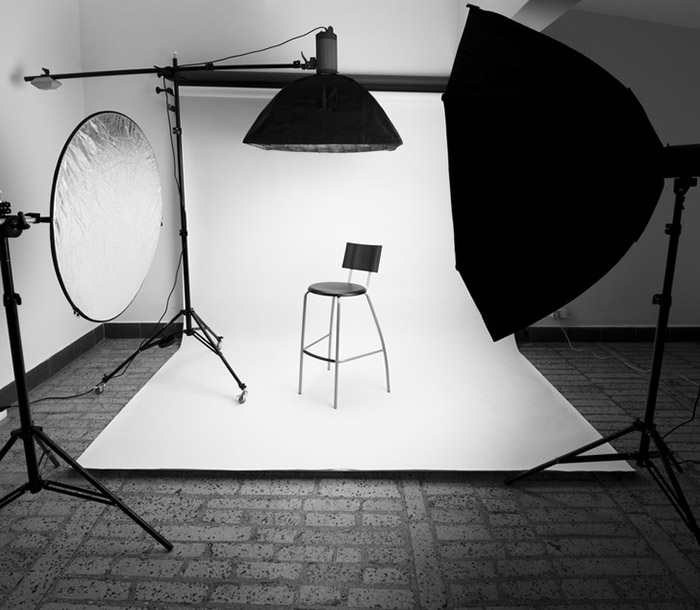
Studio flash is all about positioning the light source away from the camera, so stands are crucial. They support the flash heads. Along with a flash tube, there’s a modelling light. An umbrella is the most standard form of lighting accessory. Soft boxes once you’ve worked out how to assemble these tent-like devices, they create a softer and generally more flattering light, with a more even illumination.
setting up lighting for green screen
to use lighting for green screens you need 2 light facing a 45 degree angle so that the shadow inst on the green screen the kind of lighting to use is big soft lighting


 Site Title